Free lifelogging research tool for macOS

Your computer life, captured.

A free tool for lifeloggers and researchers to capture computer usage, export it as CSV and get insights. Everything stays on your Mac.

Mac OS X 10.7 or later 3.6 MB zip 100% local, no cloud
Notes logging 18:11
Lifelog — Wikipedia
en.wikipedia.org/wiki/Lifelog
Terminal
$ tail -f ~/Documents/LoggerMan/mouse/0.txt
228,673,0,1,1431667991740
231,670,0,0,1431667991802
▍
Notes
Move, click and type — nothing leaves this page
Documents/LoggerMan 0 keys · 0 clicks · 0 px
    6
    Logging modules, each with its own switch
    CSV
    Plain-text logs, easy to parse
    100%
    Of your data stays on your Mac
    0
    Passwords logged, ever
    01

    Install

    Unzip, open, allow keystroke capture. Two minutes, no account.

    02

    Log quietly

    Runs in your menu bar and writes CSV to Documents/LoggerMan.

    03

    Explore

    Open the built-in Reports, or parse the CSV with your own tools.

    Six modules

    Everything that happens on your screen, logged with a timestamp.

    Each module runs independently and writes its own CSV log. Turn on only what you need.

    Module 01

    Screenshots

    Captures the active window on a fixed interval, or lets Smart Shooting decide:

    every 5severy 10severy 30s✦Smart Shooting
    • After every window switch, even between windows of the same app.
    • After the same window has been active for 1 minute.
    Example · screenshots/0.txt
    Firefox,Lifelog - Wikipedia, the free encyclopedia,2015_06_15_18_11_19_291365027.jpg,1434388279291
    Formatapp name,window's title,image name,unix_timestamp_in_milliseconds
    Module 02

    Keyboard

    Every word you type, stored locally. Password fields are never captured.

    Example
    Lifelogging,1434388785016
    Formatword,unix_timestamp_in_milliseconds
    Module 03

    Mouse

    Every move, click, scroll and drag, with coordinates and a timestamp.

    Example
    228,673,0,1,1431667991740
    Formatcursor.x,cursor.y,type,numberOfClicks_or_scroll_delta,unix_timestamp_in_milliseconds
    0Move 1Right / Left Down 2Right / Left Up 3Scroll 4Drag & Drop
    Module 04

    Clipboard

    Any text you copy is captured and saved to its own file.

    Example
    2015_06_11_17_10_08_362425029.txt,1434039008362
    Formatfile name containing the copied text,unix_timestamp_in_milliseconds
    Module 05

    Apps

    Logs every switch between apps. Lighter than Screenshots, which also records window titles.

    Example
    Firefox,1433707356865
    Google Chrome,1433707359482
    Skype,1433709599539
    Formatapp name,unix_timestamp_in_milliseconds
    Module 06

    Keystrokes

    Timestamps every key press. Built for researchers interested in keystroke dynamics.

    Example
    17,1431138833524
    4,1431138833599
    34,1431138834228
    Formatkey (Mac Virtual Button Standard),unix_timestamp_in_milliseconds
    Built-in reporting

    Turn raw logs into insight.

    The built-in reporting tool visualises data from the Keyboard, Screenshots and Mouse modules, so enable those to get the most of it. Other modules store CSV files ready to parse.

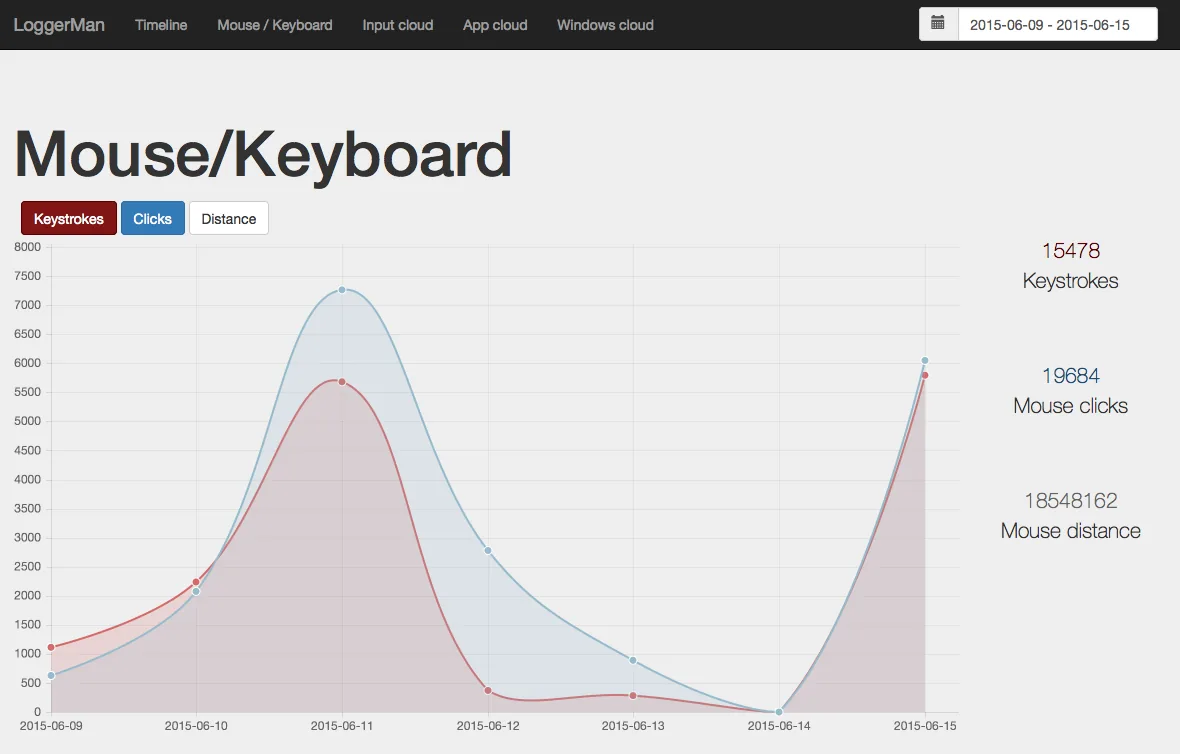
    Mouse and keyboard usage chart in LoggerMan Reports

    Mouse / Keyboard usage

    Keystrokes, clicks and mouse distance over any date range.

    App cloud showing most used applications

    App clouds

    Your most used apps, from the Screenshots module.

    Word cloud of typed words

    Word clouds

    The words you type, from the Keyboard module.

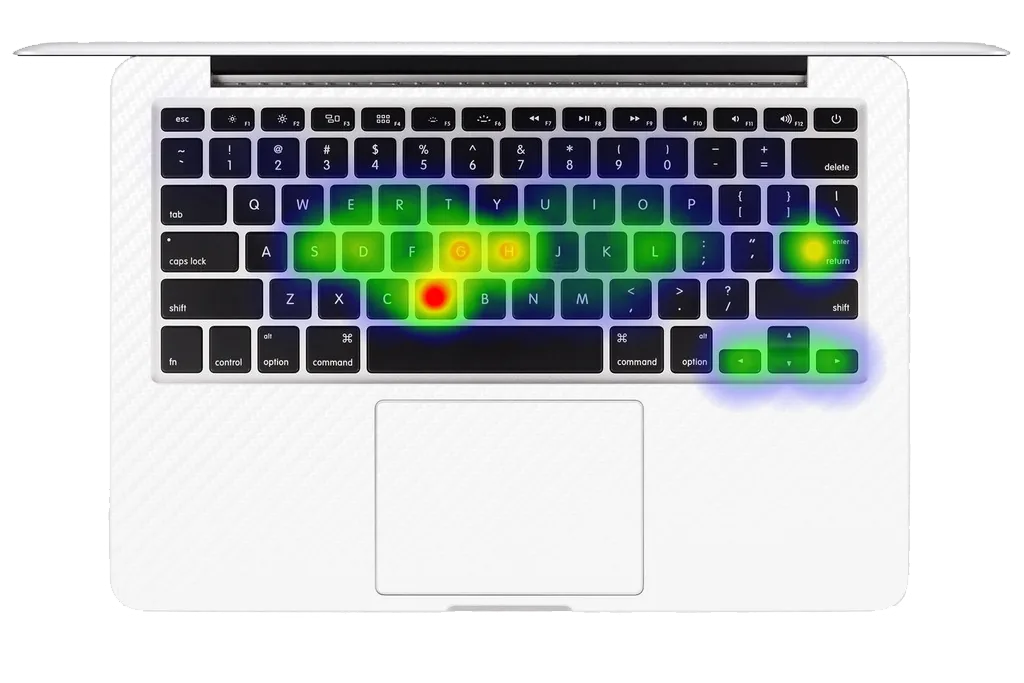
    Keyboard heatmap of key presses

    Keyboard heatmap

    Where your fingers go, from the Keystrokes module.

    Two minutes to set up

    Install & uninstall.

    LoggerMan is distributed outside the App Store, so macOS asks you to confirm the first launch.

    Unzip the download

    Double-click loggerman.zip to get LoggerMan.app.

    Open LoggerMan

    Double-click the app icon. Keep it anywhere, for example in Applications.

    Confirm the warning

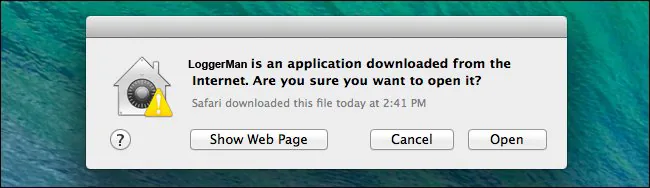
    If macOS says the app comes from outside the App Store: right-click the icon, choose Open, then press Open in this window:

    macOS dialog asking to confirm opening LoggerMan

    Look for the red icon

    It appears in the menu bar next to the clock. LoggerMan is running.

    Allow keystroke capture

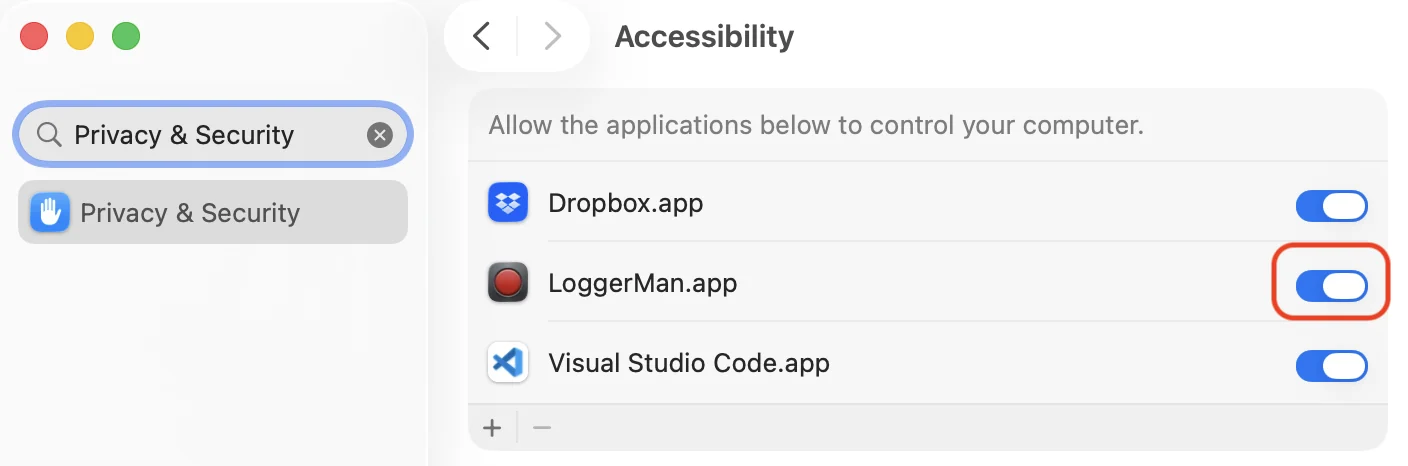
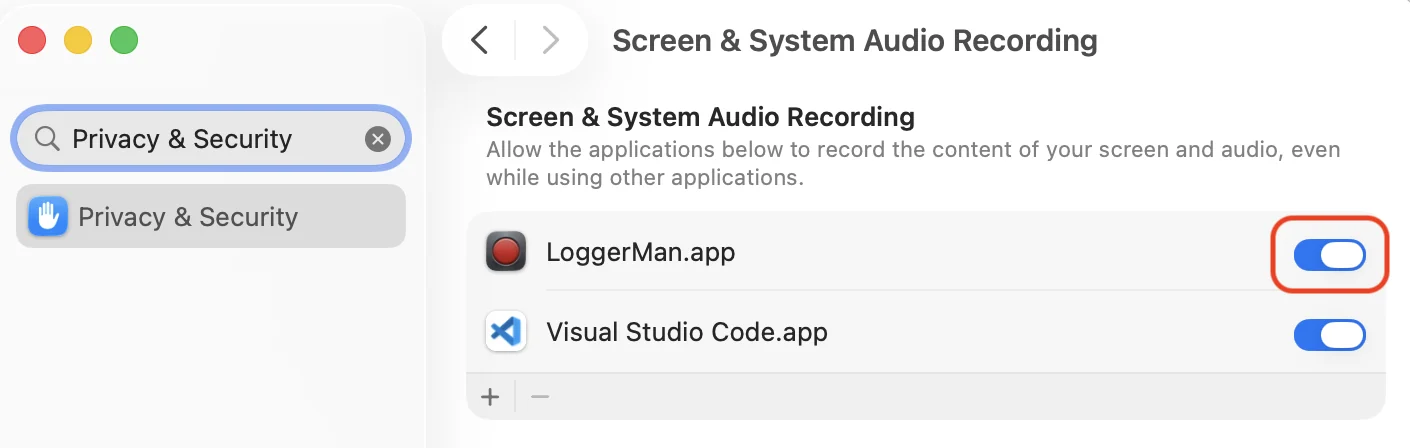
    For the Keyboard or Keystrokes modules, go to System PreferencesSecurity & PrivacyPrivacyAccessibility and tick LoggerMan:

    Accessibility privacy settings with LoggerMan ticked

    Restart LoggerMan

    Quit it from the menu bar and open it again. Done.

    Requires Mac OS X 10.7 or later

    Uninstall

    • Click Remove from startup in the menu.
    • Then Quit.
    • Your data in Documents/LoggerMan is kept.

    Ready to try it?

    Free for the community. Two minutes to set up.

    Download for Mac
    Good to know

    Your data, your rules.

    How LoggerMan stores what it captures.

    Completely yours

    Stored only on your machine. Nothing is uploaded.

    Passwords are never logged

    macOS blocks logging in secure password fields.

    Modules are optional

    Turn any module on or off to suit your needs.

    One folder per module

    Each with its own CSV file plus extra metadata.

    Rolling 20 MB log files

    Named 0.txt, 1.txt, 2.txt… 20 MB each.

    Session headers

    Lines like 2015-05-09 03:33:30 a.m. mark a new session.

    Runs at startup

    Added to your login items automatically.

    Get LoggerMan for Mac

    Free for lifeloggers and researchers. Mac OS X 10.7 or later.

    loggerman.zip · 3.6 MB No spam, promise
    Using LoggerMan in your research?

    Please cite our paper.

    MultiMedia Modeling (MMM 2016) · Springer LNCS · pp. 342–347

    LoggerMan, a Comprehensive Logging and Visualization Tool to Capture Computer Usage

    Zaher Hinbarji, Rami Albatal, Noel O'Connor and Cathal Gurrin

    Show BibTeX
    @inproceedings{hinbarji2016loggerman,
      title     = {LoggerMan, a Comprehensive Logging and Visualization Tool to Capture Computer Usage},
      author    = {Hinbarji, Zaher and Albatal, Rami and O'Connor, Noel and Gurrin, Cathal},
      booktitle = {MultiMedia Modeling (MMM 2016)},
      series    = {Lecture Notes in Computer Science},
      pages     = {342--347},
      publisher = {Springer International Publishing},
      year      = {2016},
      doi       = {10.1007/978-3-319-27674-8_31}
    }